Heroes are the characters you get from Hero Drives (


 ) and use in your squad to fight battles.
- To view your heroes, tap the Heroes (
 ) button on the home screen navigation bar, at the bottom of your screen. While viewing your Heroes inventory, you can tap any character portrait for more information about that hero. (more info)
 - To obtain more heroes, tap the green ‘Get More Heroes!’ button. You can obtain more heroes through Hero Drives, Tier Boxes, and Featured Bundles. (more info)
- To make your heroes stronger, you need to level up their Ooze level, Mod their Equipment, or increase the Dimension Level (
 ) or Star Level (
 ) of the hero.
Hero Profile (Character Information)
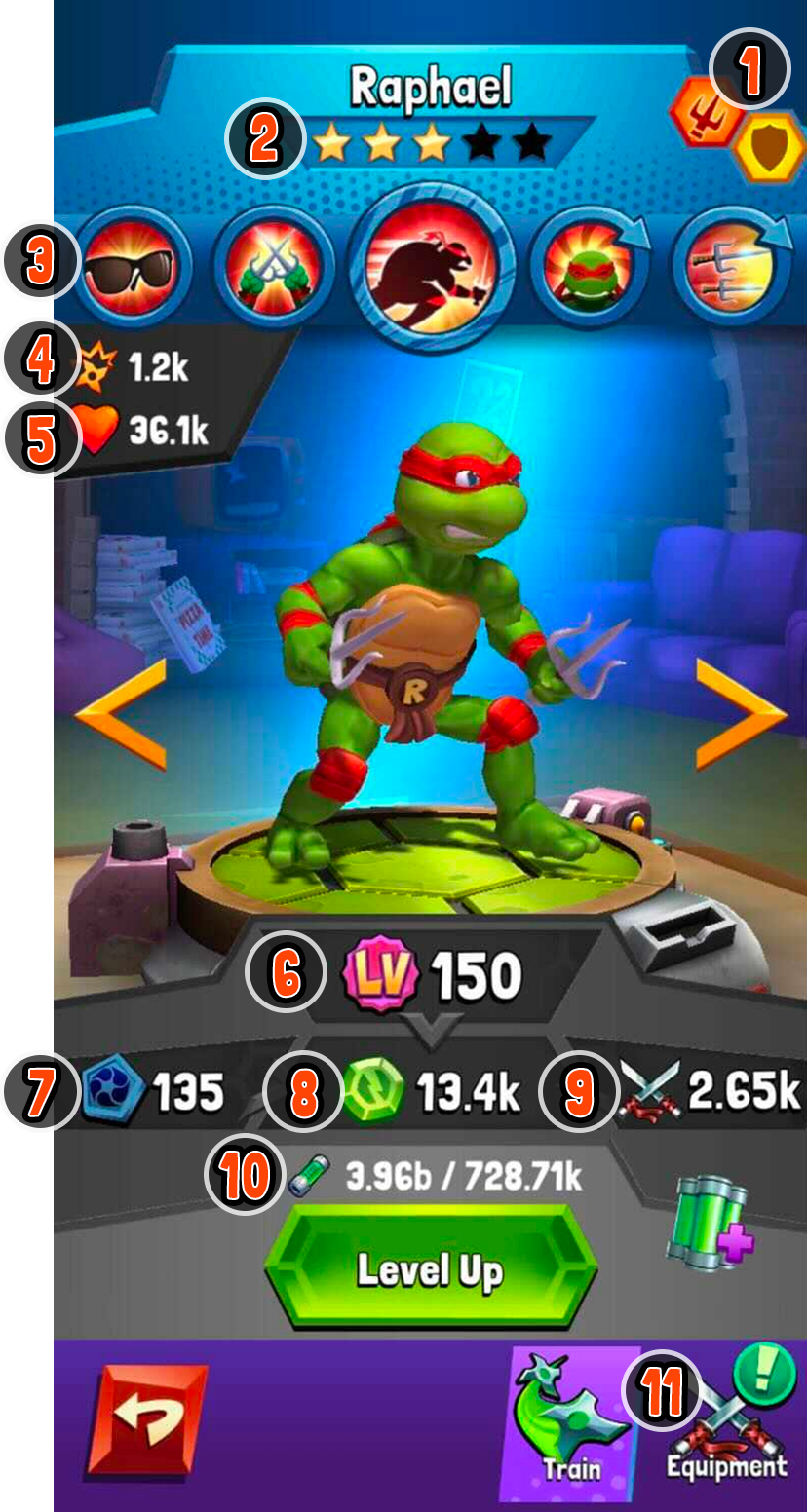
This screen shows a lot about a hero!
 |
|

 ) and thus

 ). This is one of the biggest factors for calculating
 7. Dimension Level ( ) gives a multiplier to the hero’s Turtle Power. Dimension Level increases when you receive another copy of this hero.
8. Turtle Power ( ) tells you how strong your character is, factoring in Equipment bonuses (
 ) , Lair multipliers (
 ), and more.
9. Equipment Bonus shows how much added power the character is receiving from their Signature Item.
10. Level Up Requirements shows how much Ooze is needed to level the hero to the next Ooze Level.
11. Equipment () will take you to the Equipment screen, where you can equip mods to your gear for additional power.
Additional helpful answers about Heroes: